Web Search
Web search lets the AI look up information online to help answer your questions.
There are two jobs involved: finding pages and reading pages. The search engine finds pages. The web loader reads them.
Search engine vs. web loader
Think of looking up a recipe online. You type “chocolate cake recipe” into Google, then click a result to read the recipe. Those are two separate steps. Open WebUI does something similar:
| Setting | What it does | What the AI gets |
|---|---|---|
| Web Search Engine | Searches for “chocolate cake recipe.” | A list of links to recipe pages, with short previews. |
| Web Loader Engine | Opens one of those links and gets the page's text. | The actual recipe: ingredients and instructions. |
“Web loader” just means “web page reader.” A search result usually contains a link and a short preview. The loader gets the text from the page itself when the AI needs more detail. It can also read a link you paste into the chat.
That is why there are two settings: one chooses who finds the links, and the other chooses how to read the pages behind those links.
The web loader settings apply with web search off too. Web Search Engine is required only while Web Search is on, so the Loader settings save without an engine. While Web Search is off, the page hides Web Search Confirmation, Web Search Engine and its settings, Search Limits, Fetch URL Content Length Limit, Domain Filter List and Bypass Web Loader. Their saved values are kept. Bypass Embedding and Retrieval and Trust Proxy Environment stay visible.
Why are there so many options?
Open WebUI lets you choose which service does each job. The lists are alternatives to choose from. You do not need to set up all of them.
- Search engines offer different ways to find results. Some work without an account, some require an account and may charge for searches, and some can run on your own server. They can also return different results for the same question.
- Web loaders offer different ways to read pages. Websites are built differently: some provide text straight away, while others need a browser to run the page before the text appears. Different loaders handle these situations differently.
Some services, such as Tavily and Exa, can do both jobs, so you may see the same name in both lists. You can also use different services for the two jobs.
What should I choose to get started?
For the strongest search results, start with a hosted search API built for LLM workflows, such as Exa, Tavily, SearchApi, Serper, SerpApi, Brave, or Kagi. SearXNG is still useful when you want a self-hosted, privacy-preserving metasearch engine, but result quality depends heavily on its upstream engines, rate limits, and instance configuration.
- Choose one search engine and follow its setup guide below. A hosted search API is a service Open WebUI connects to so it can search on your behalf. These services usually require an account and an API key: a code that connects Open WebUI to your account with the service.
- Leave the web loader at its default setting. You do not need a separate page-reading service to start. If pages cannot be read, the troubleshooting guide can help you decide whether to change the loader. The loader settings reference explains the available options.
Finding a page does not guarantee Open WebUI can read it. A website may appear in search results but block tools from opening it, or load its text in a way your loader cannot read.
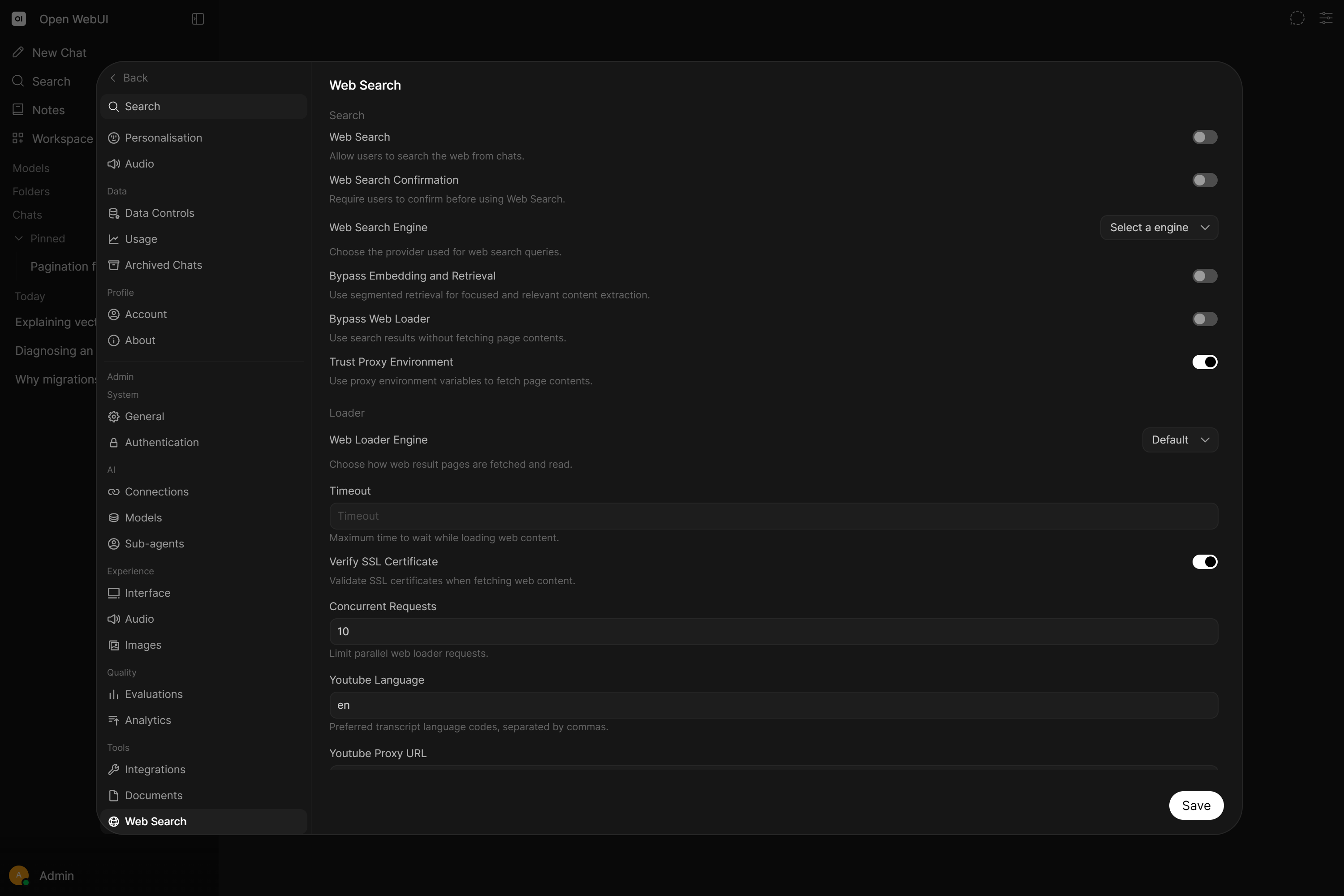
Admins can require users to confirm before a web search runs, so a query is never sent to an external provider unintentionally. Enable it in Settings → Admin → Web Search, where the switch shows while Web Search is on (or via ENABLE_WEB_SEARCH_CONFIRMATION); the prompt text is set by WEB_SEARCH_CONFIRMATION_CONTENT.
📄️ Agentic Search & URL Fetching
Open WebUI's web search has evolved from simple result injection to a fully agentic research system. By enabling Native Function Calling (Agentic Mode), you allow quality models to independently explore the web, verify facts, and follow links autonomously.
📄️ Save Search Results to Knowledge
The Add Web Sources to Knowledge Action allows you to save web search result URLs directly to your Knowledge Base with a single click. This feature streamlines the process of building a research bank by automating the fetching, sanitizing, and uploading of web content.
🗃️ Providers
28 items