Open Terminal
Turn Open WebUI into a full agent harness.
An agent harness is the system around a model that lets it do real work: instructions, context, tools, state, permissions, feedback loops, observability, and an execution environment. Open WebUI already gives you the control side of that harness: models, chats, knowledge, prompts, tools, MCP connections, memory, users, permissions, automations, and shared workflow controls. Open Terminal completes it with the part most chat products are still missing: a real computer substrate where actions run and evidence comes back.
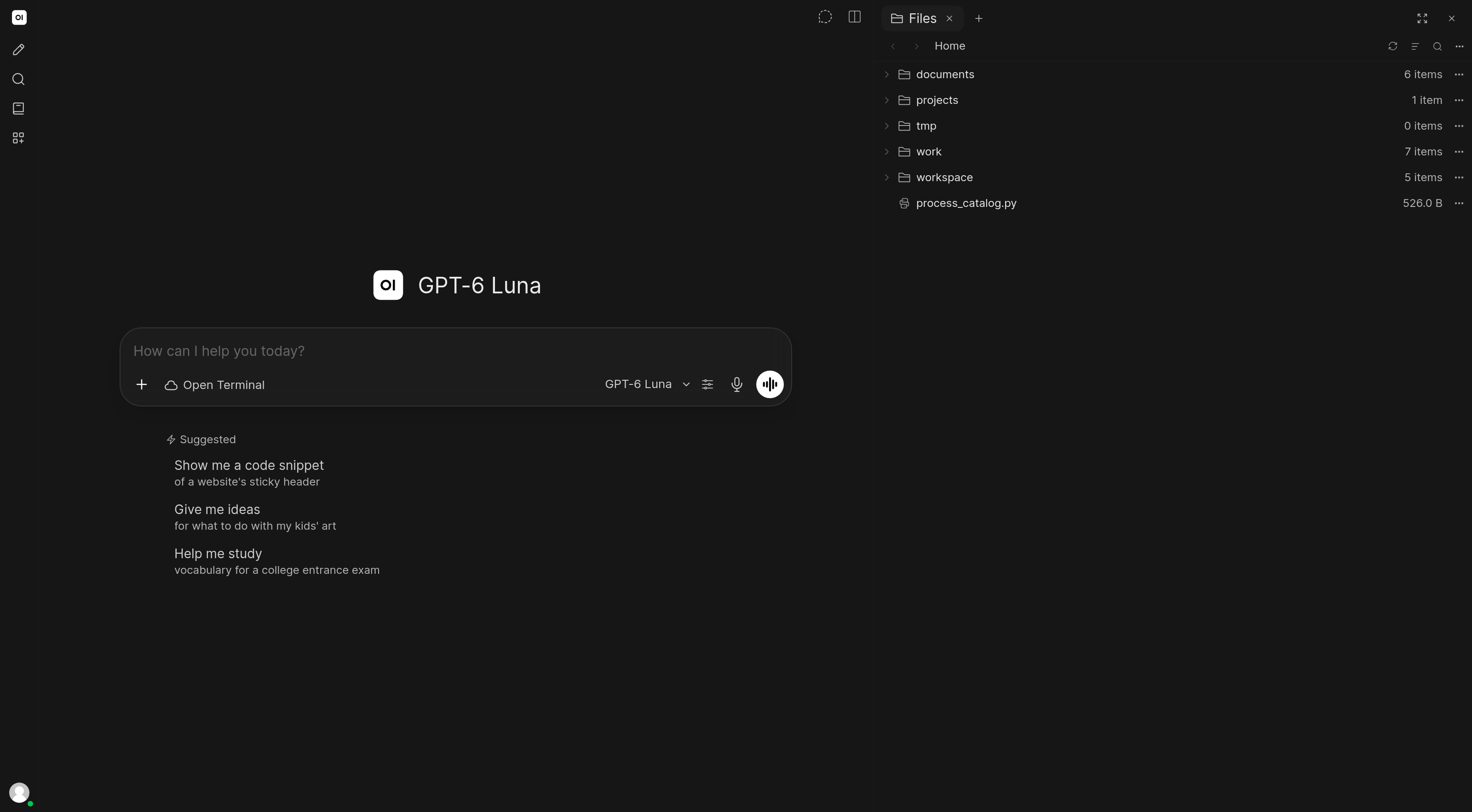
That means the agent can do real work. Not just answer questions about a task, and not just emit code you run somewhere else. It can plan, create files, run code, inspect output, install dependencies, start servers, render previews, recover from errors, and continue until there is an artifact you can use: a script, report, patch, chart, website, migration, or organized folder.
Despite the name, Open Terminal is not just a terminal panel. It is the computer-like workspace that makes Open WebUI's agent loop capable of acting on files, code, packages, servers, documents, and generated artifacts. Run it in Docker for isolation, or bare metal when the agent should work directly on the host.
The Right Mental Model
Modern agentic workflows are not one prompt in, one answer out. They are stateful loops:
- Understand the goal.
- Inspect the workspace.
- Choose an action.
- Run the action.
- Observe the result.
- Repair, continue, or verify.
Open WebUI coordinates that loop. Open Terminal gives the loop a real place to happen: files to inspect, code to run, outputs to verify, and artifacts to hand back. Together, they form the full harness: model, context, tools, state, action, observation, and verification.
Open Terminal is the computer substrate an AI agent drives from chat. If you want to operate your own machine from any browser, with files, editor, terminal, git, and AI as an optional helper, see Open WebUI Computer, a separate Open WebUI project. Choose the right execution environment.
How the Harness Fits Together
| Open WebUI | Open Terminal | |
|---|---|---|
| Harness role | Control layer: prompts, context, tools, state, permissions, users, and workflow UI | Action layer: a computer-like workspace the model can act inside |
| Context | Conversations, uploaded files, knowledge bases, memories, notes, channels | Files, folders, terminal output, logs, previews, documents, and generated artifacts |
| Action | Builtin tools, MCP/OpenAPI tools, automations, sub-agents | Create files, run commands, install packages, execute code, start servers, use Git, process documents |
| Feedback loop | Tool calls, conversation state, model routing, and workflow progression | Observe the workspace, change it, run it, inspect the result, fix, retry, verify |
| Boundary | Open WebUI permissions and configuration | Docker sandbox or direct host access |
Open WebUI plus Open Terminal is the full agent harness: the control layer, the action layer, and the feedback loop between them.
The Terms People Use
Different teams describe this stack with different language. Open Terminal fits the vocabulary people already use for agentic systems:
| Term people use | What it means here |
|---|---|
| Agentic AI | A model that can take multi-step actions, observe results, and keep going |
| Agentic workflow | A goal-driven process where the agent plans, acts, observes results, and adapts |
| AI agent | The model plus instructions, tools, memory/context, and an execution loop |
| Agent harness | The whole system around the model that turns reasoning into action: instructions, context, tools, state, permissions, feedback loops, evaluation, observability, and execution environments |
| Agent runtime | The place where agent actions actually run: files, code, commands, servers, documents, and processes |
| Action runtime | A runtime focused on executing real-world actions reliably, with authorization and auditability |
| Agentic infrastructure | The compute, state, orchestration, tools, security, and observability needed to run agents in production |
| Computer substrate | The filesystem, shell, packages, processes, previews, and artifacts the harness gives the agent so it can do work |
| Stateful session | A task or workspace that persists across many model/tool turns instead of one stateless request |
| Tool calling / function calling | The model choosing a structured tool action instead of only writing text |
| Tool result / context return | The output from an action being returned to the model so it can decide the next step |
| Action tools | Tools that modify an external environment, such as editing files, posting messages, or changing records |
| Computer use | An agent operating a computer-like environment through files, commands, UI, or browser actions |
| Code interpreter | A narrower execution surface for running code; Open Terminal is broader because it includes the filesystem, shell, packages, processes, and previews |
| MCP / tool servers | Standard or API-backed ways to expose capabilities to the model |
| Orchestration | The loop of choosing tools, sequencing steps, handling failures, and verifying results |
| Human-in-the-loop | A human approval or review point inside an otherwise agent-driven workflow |
| Guardrails / governance | Policy, permission, and safety controls around what the agent can see and do |
| Observability / auditability | Logs, traces, and records that show what the agent did and why |
| Sandbox | The isolation boundary around the agent's filesystem, processes, and network access |
The practical point is simple: models got good enough to use tools, but a harness is only as useful as the environment it can act on. Open Terminal gives Open WebUI the computer-shaped action layer that makes the harness complete.
Agent Workloads
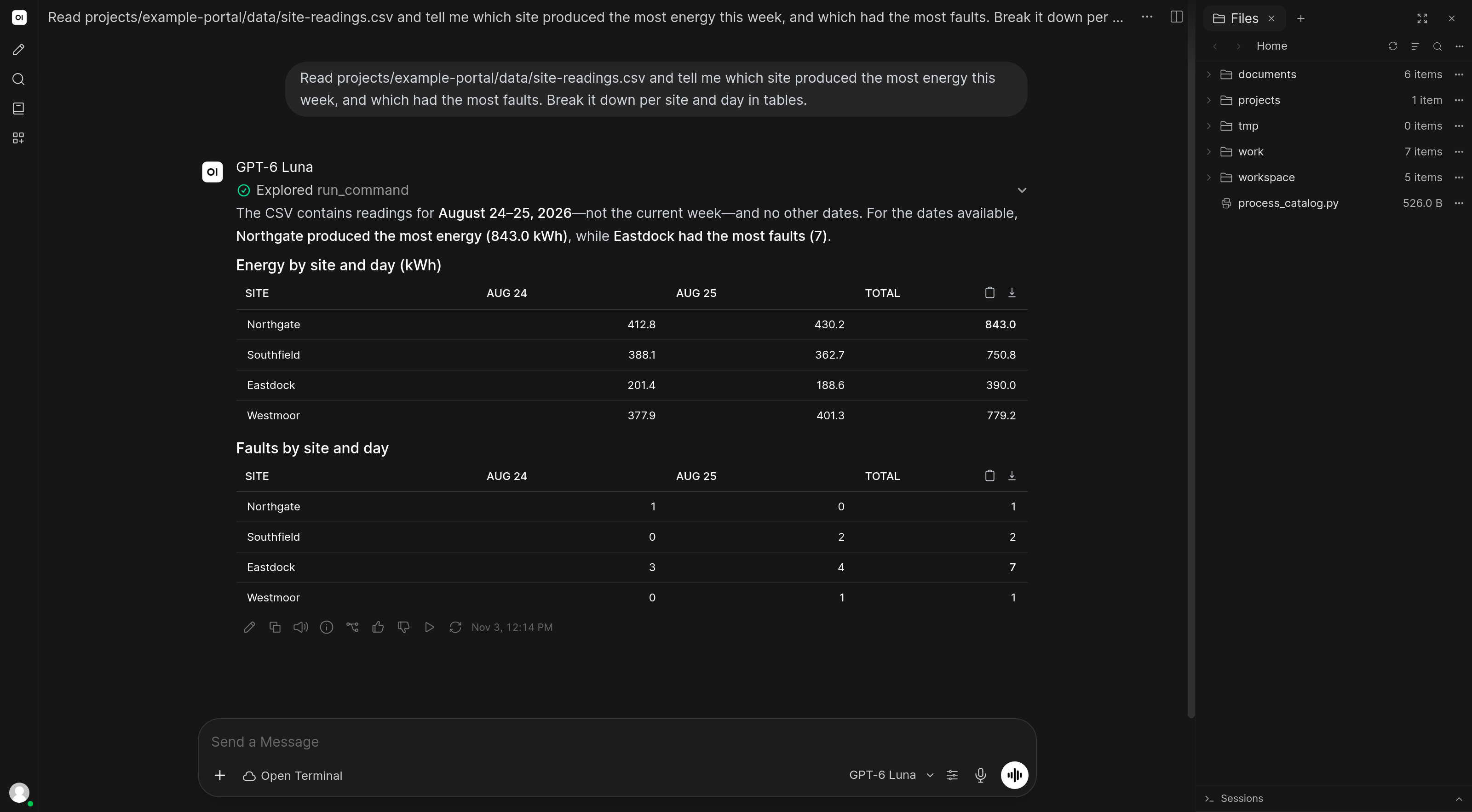
Data analysis and reporting
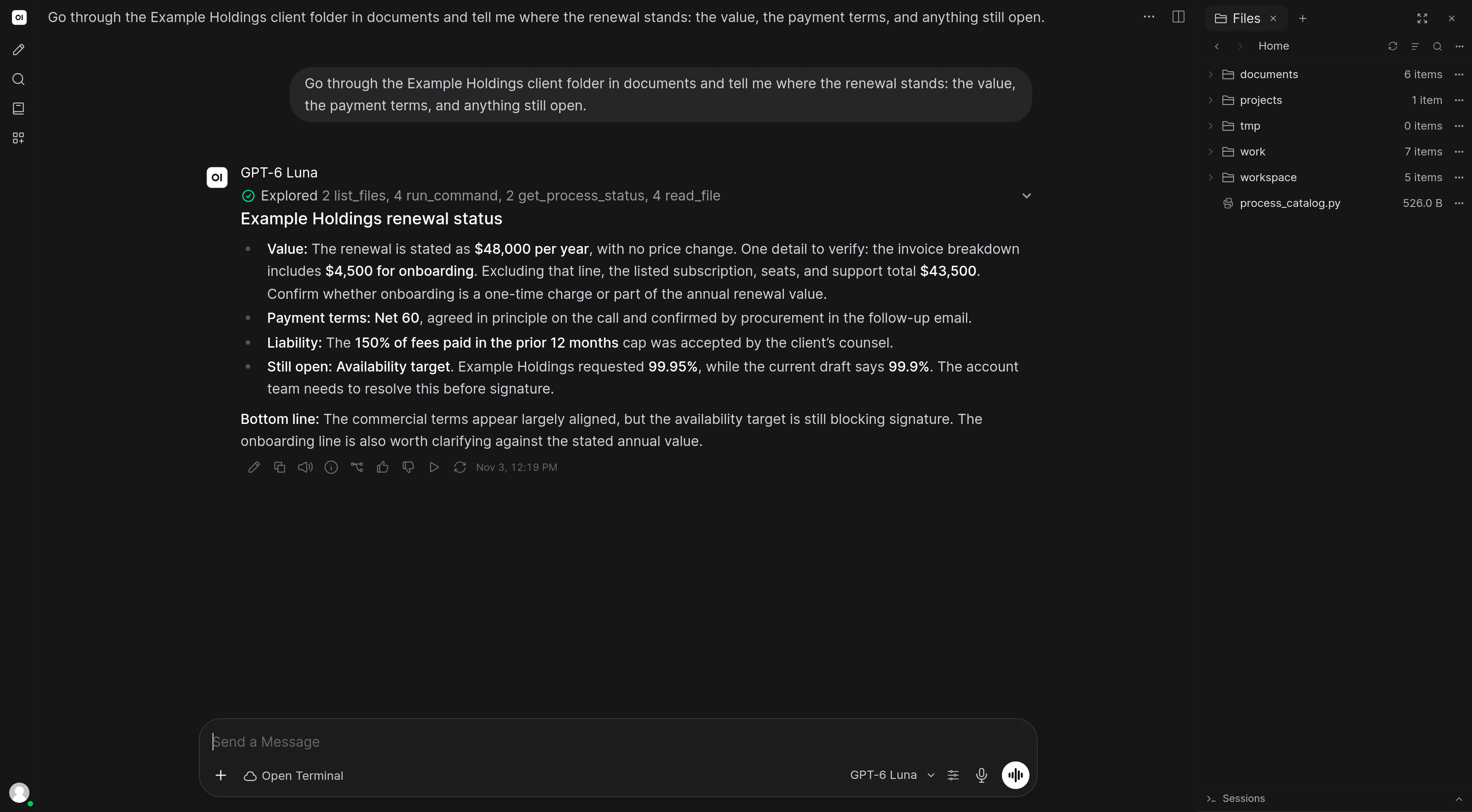
Upload spreadsheets, CSVs, databases, or exported logs. The agent can inspect the files, write analysis code, install libraries, generate charts, and return a finished report.
Document search and extraction
Point the agent at a folder of PDFs, Word docs, spreadsheets, or emails. It can search, extract, convert, summarize, cross-reference, and produce structured output.
Web development with live preview
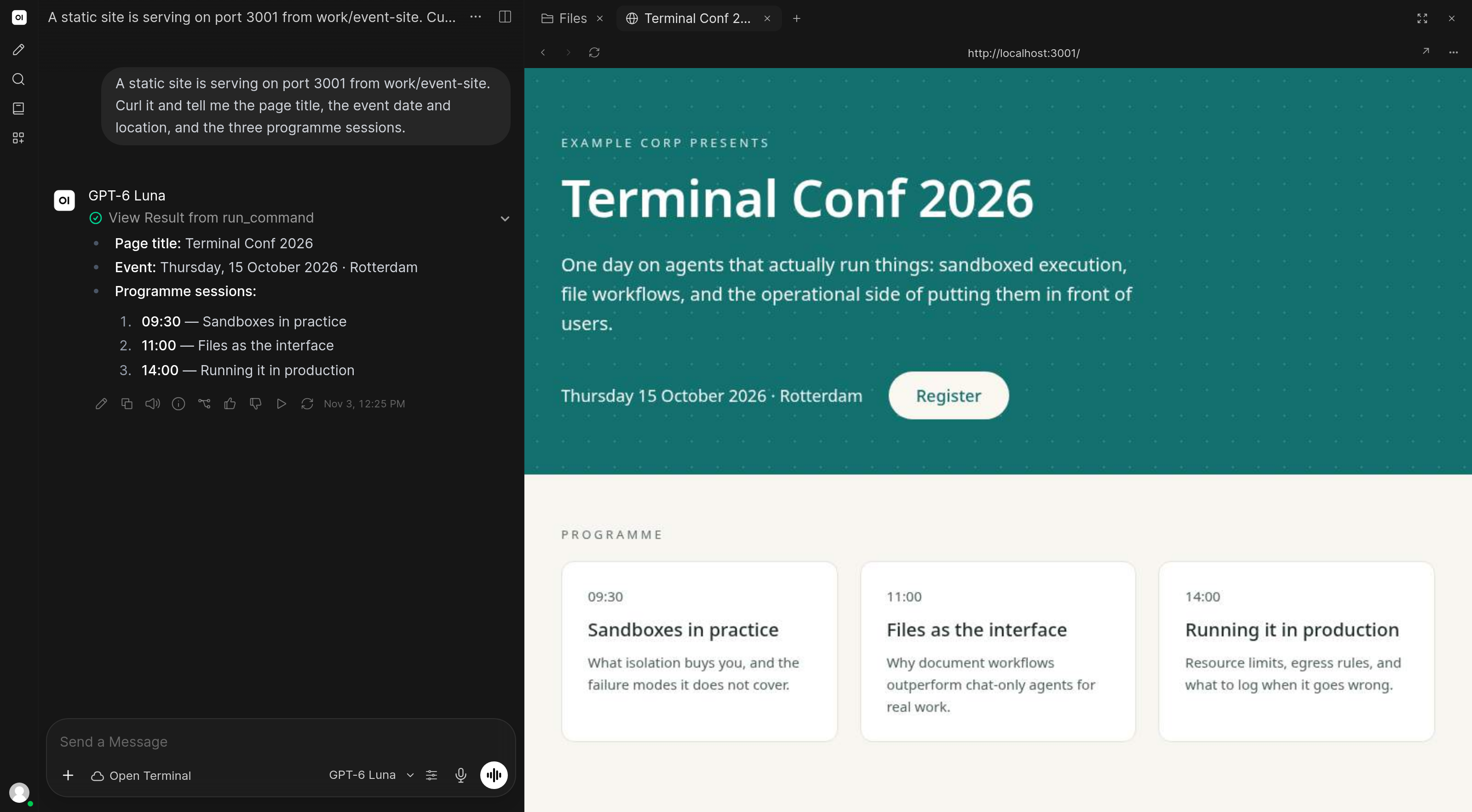
Describe a site or app. The agent can create the files, install dependencies, start a dev server, and render the result inside Open WebUI. Iterate by describing changes in chat.
Software development
Clone repos, inspect architecture, run test suites, debug failures, refactor code, and work with Git. The key capability is not just writing code; it is running and verifying it.
File and system automation
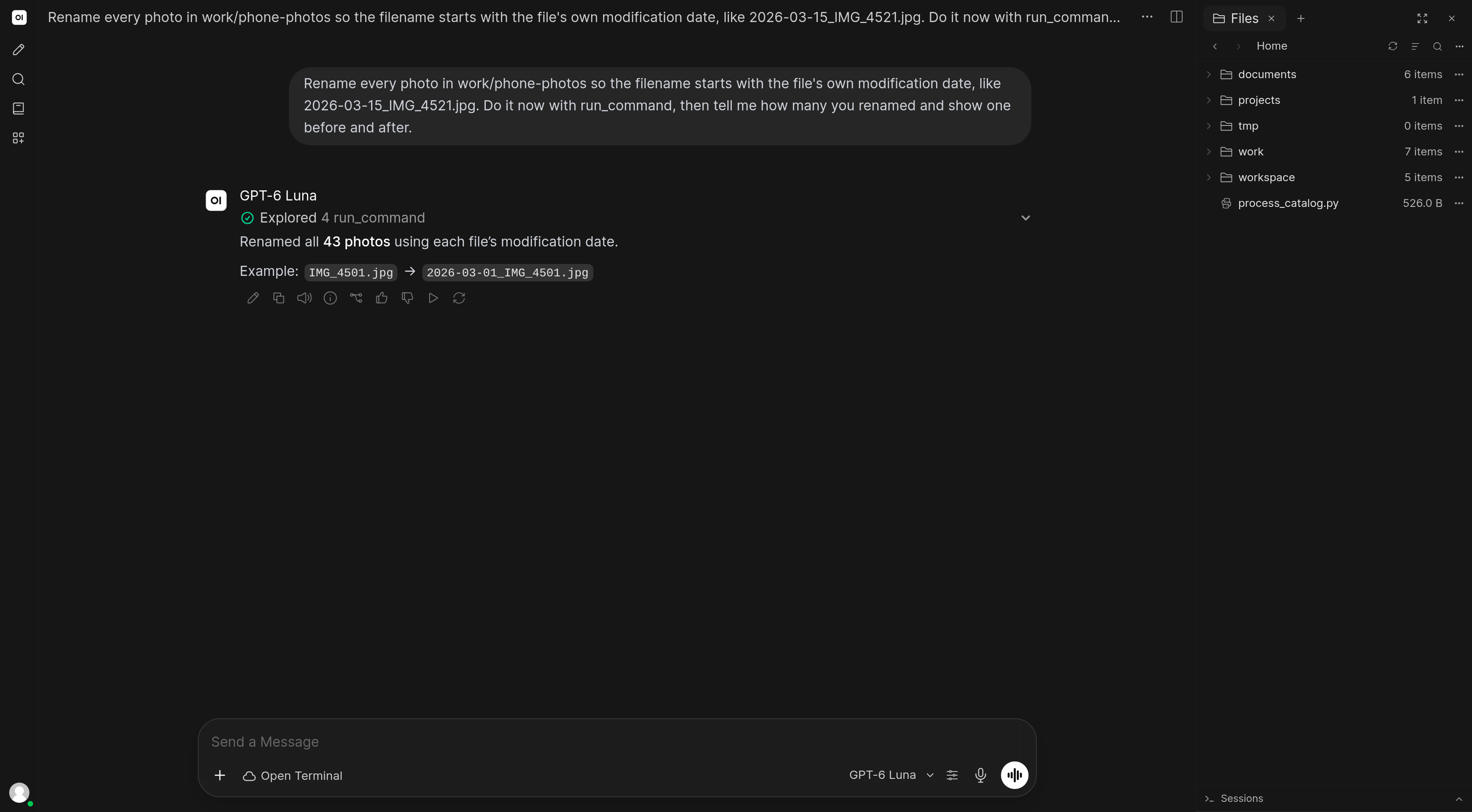
Bulk rename, sort, deduplicate, convert, compress, and organize files. Manage disk usage, process logs, prepare exports, and automate repeatable operations.
What Agents Can Do With This Substrate
| 🖥️ Use a real shell | Run commands, scripts, CLIs, tests, build tools, and package managers |
| 📁 Own a workspace | Browse, upload, download, edit, create, rename, convert, and organize files |
| 📄 Process documents and data | Handle PDF, Word, Excel, PowerPoint, RTF, EPUB, email, text, code, and data files |
| 🌐 Run and preview software | Start local servers and show live previews inside Open WebUI |
| 🔁 Iterate from feedback | Read output, inspect artifacts, fix errors, retry, and verify the result |
| 🔒 Choose the boundary | Run isolated in Docker, or bare metal when direct host access is intentional |
Get Started
Installation → · Connect to Open WebUI →
Open Terminal needs a model that performs tool calling at agentic quality, not just one that technically supports tools. Working inside a computer substrate is a multi-step loop: choose an action, observe files or output, decide what changed, recover from errors, and repeat across many turns. Small models often fail at that loop even when they can emit a valid tool call. Use a capable frontier model for complex software, data, and automation work. Native tool calling is the default; check the model's tool-calling mode if tools are not firing.
Use Cases
- Code execution: write, run, and debug scripts
- Software development: repos, tests, debugging, refactoring, Git
- Document & data analysis: spreadsheets, PDFs, Word docs, emails
- Web development: build and preview websites in the Browser tab
- System automation: file management, backups, batch operations
- Advanced workflows: skills for data reports, research, code review, and more
- File browser: uploading, previewing, editing files, Git
Enterprise Multi-User
Need isolated, per-user agent workspaces for your team? Terminals is the orchestrator for Open Terminal. It provisions a dedicated computer substrate for every user and policy, with automatic lifecycle management, resource limits, custom images, persistent storage, scheduled resets, and policy-controlled environments.
Your Whole Machine
Open Terminal adds a computer substrate to Open WebUI for the agent to use. Open WebUI Computer is the computer itself for you to use: files, terminal, git, editor, and AI in a browser tab, accessible from any device.