Code Execution
Open Terminal allows the AI to write, execute, and debug code in real time. It handles the full cycle: writing the script, running it, reading errors, and iterating until the result is correct.
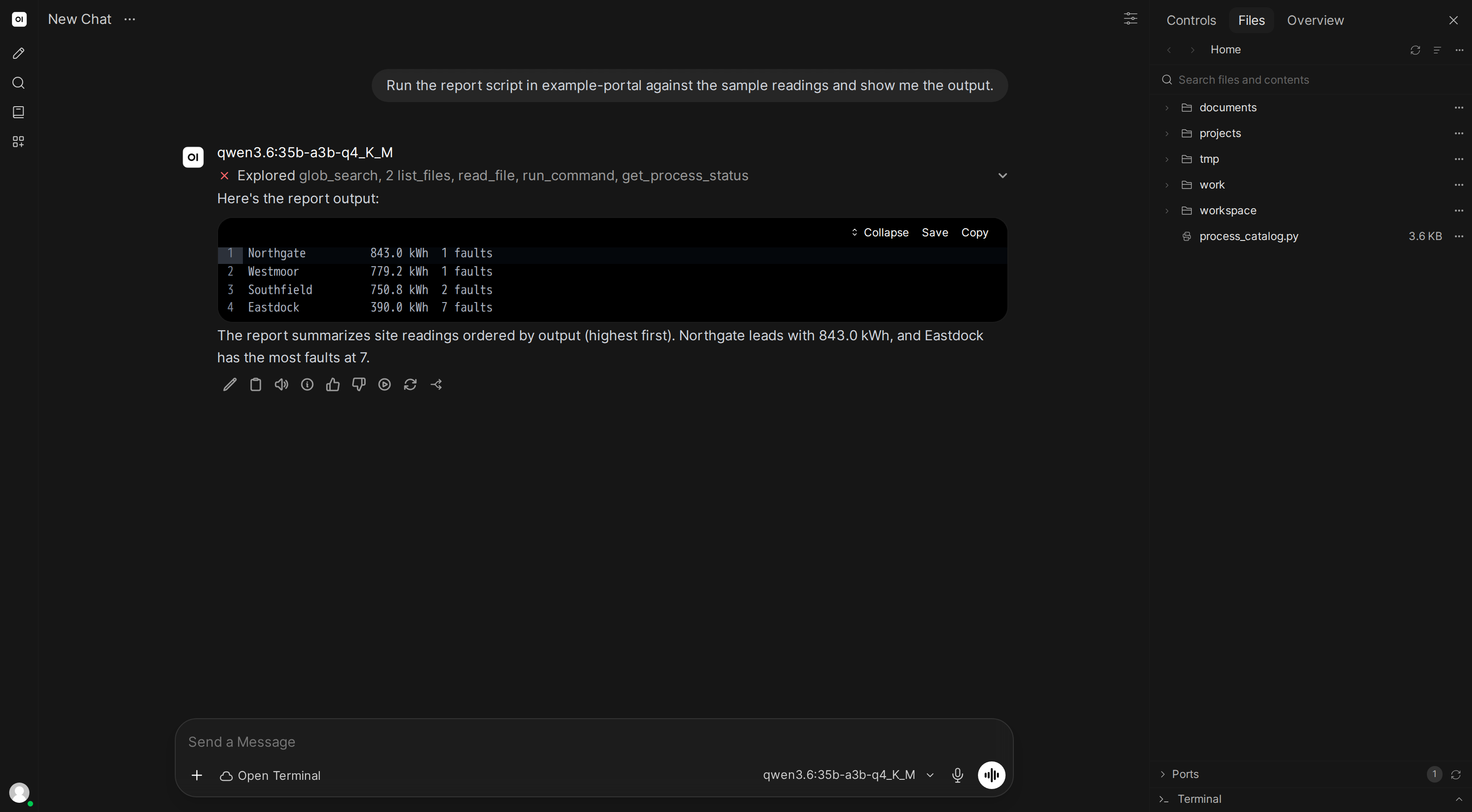
Data visualization
You: Create a chart showing the top 10 most populated countries.
The AI writes a Python script, executes it, and saves the output. Results are available in the file browser.
Downloading and processing files
You: Download the images from this webpage and sort them by size.
The AI installs required packages, writes the script, downloads files, and organizes them:
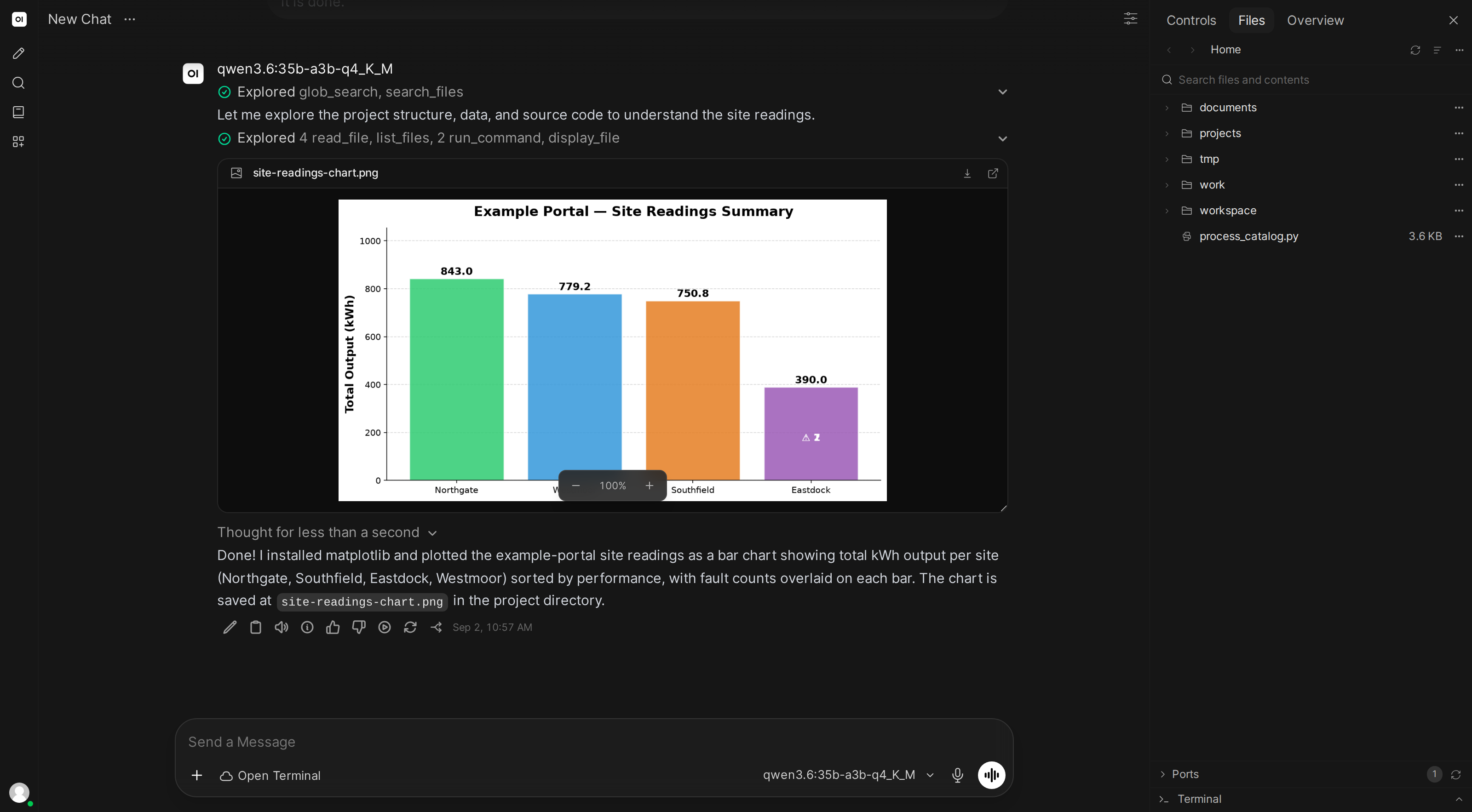
In Docker mode, the AI can install packages as needed. If a task requires a library that isn't pre-installed, it installs it automatically before proceeding.
Self-correcting errors
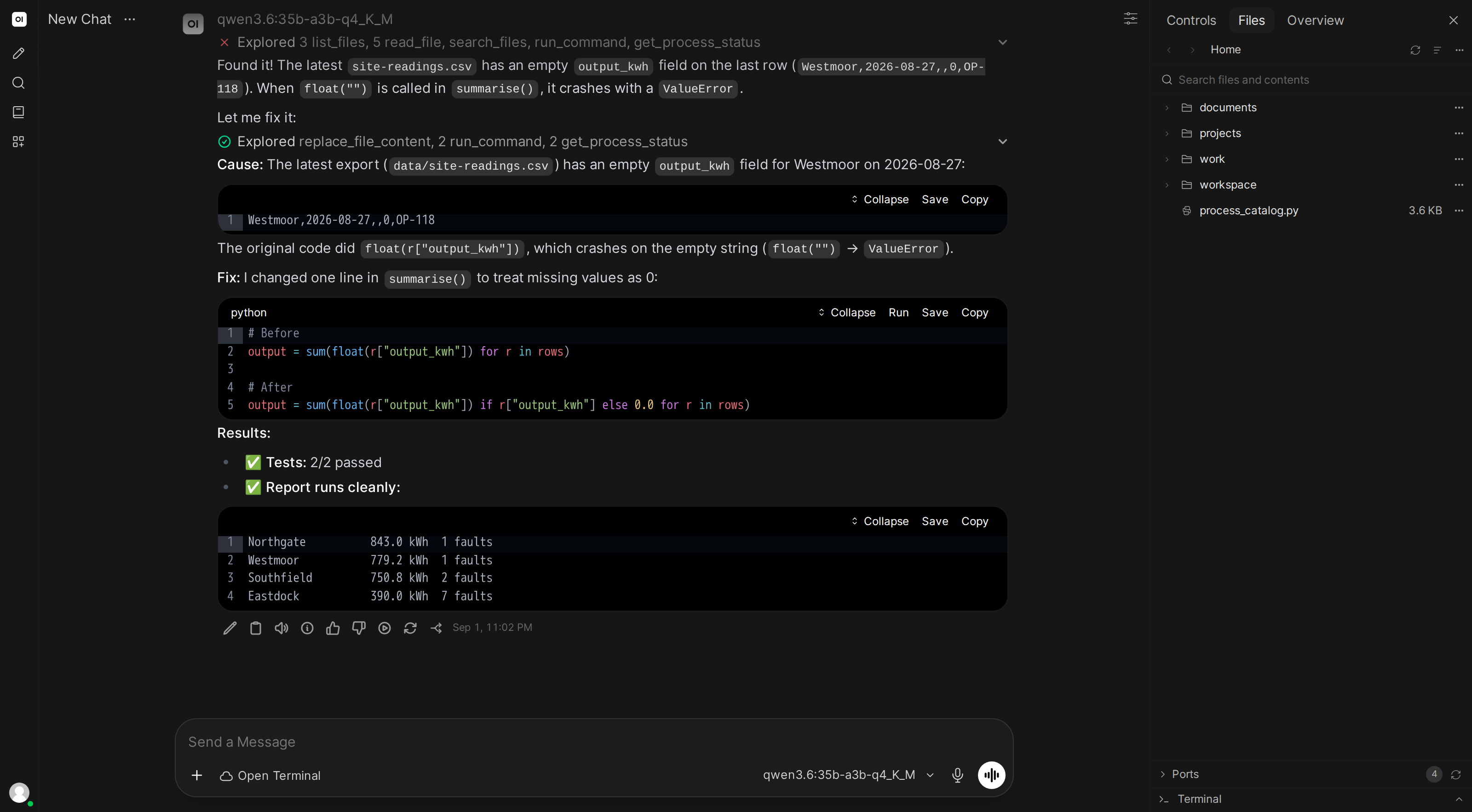
When code fails, the AI reads the error output and adjusts:
You: Scrape all the article titles from this news website.
The AI writes a scraper, hits an unexpected page layout, reads the AttributeError traceback, adjusts the CSS selectors, and re-runs successfully.
Multi-step project scaffolding
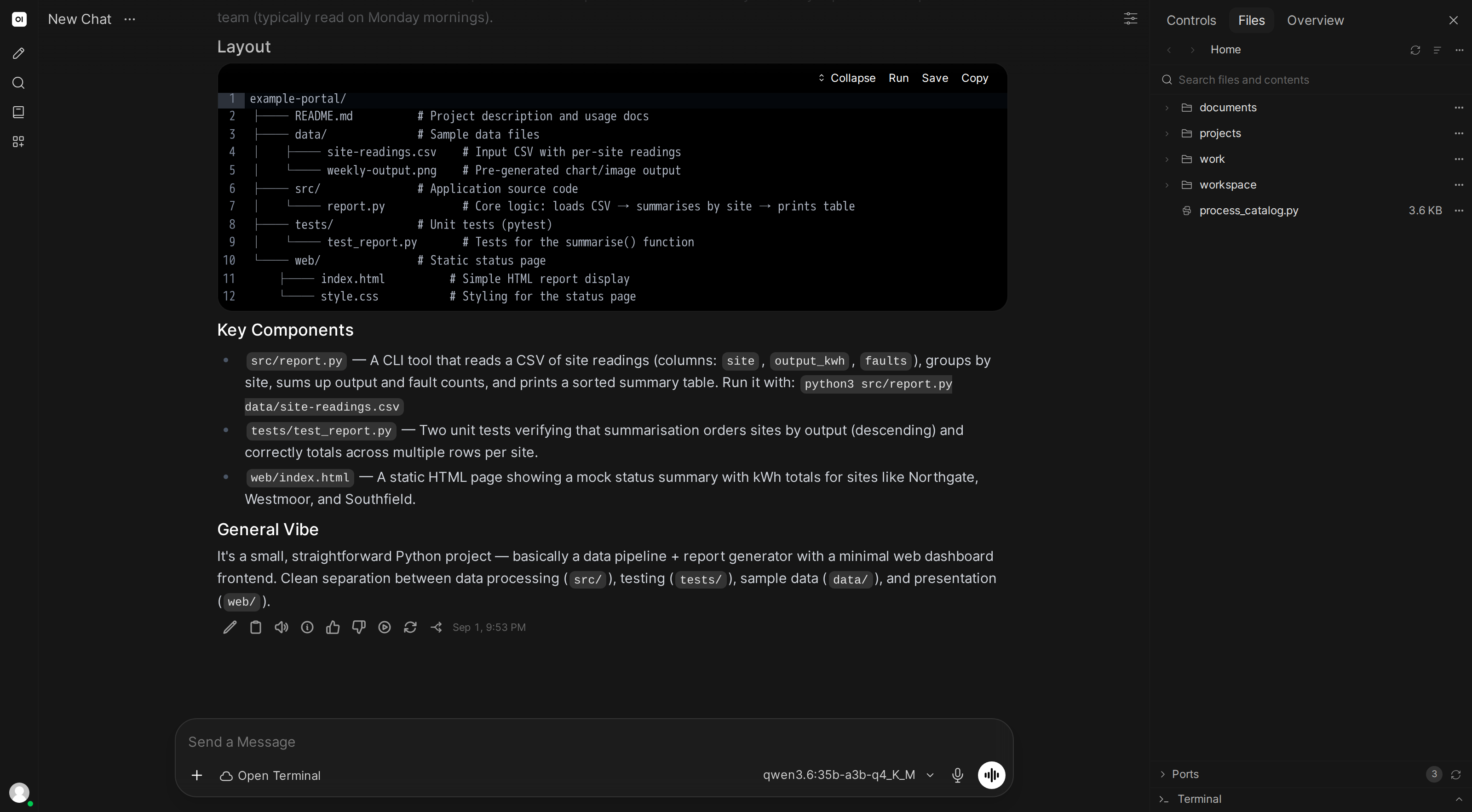
You: Create a to-do list app with a web interface and a database.
The AI:
- Creates project files (HTML, CSS, JavaScript, Python backend)
- Installs dependencies
- Sets up the database
- Starts the server
- Verifies the result in the web preview
System queries
You: Check what's using the most disk space.
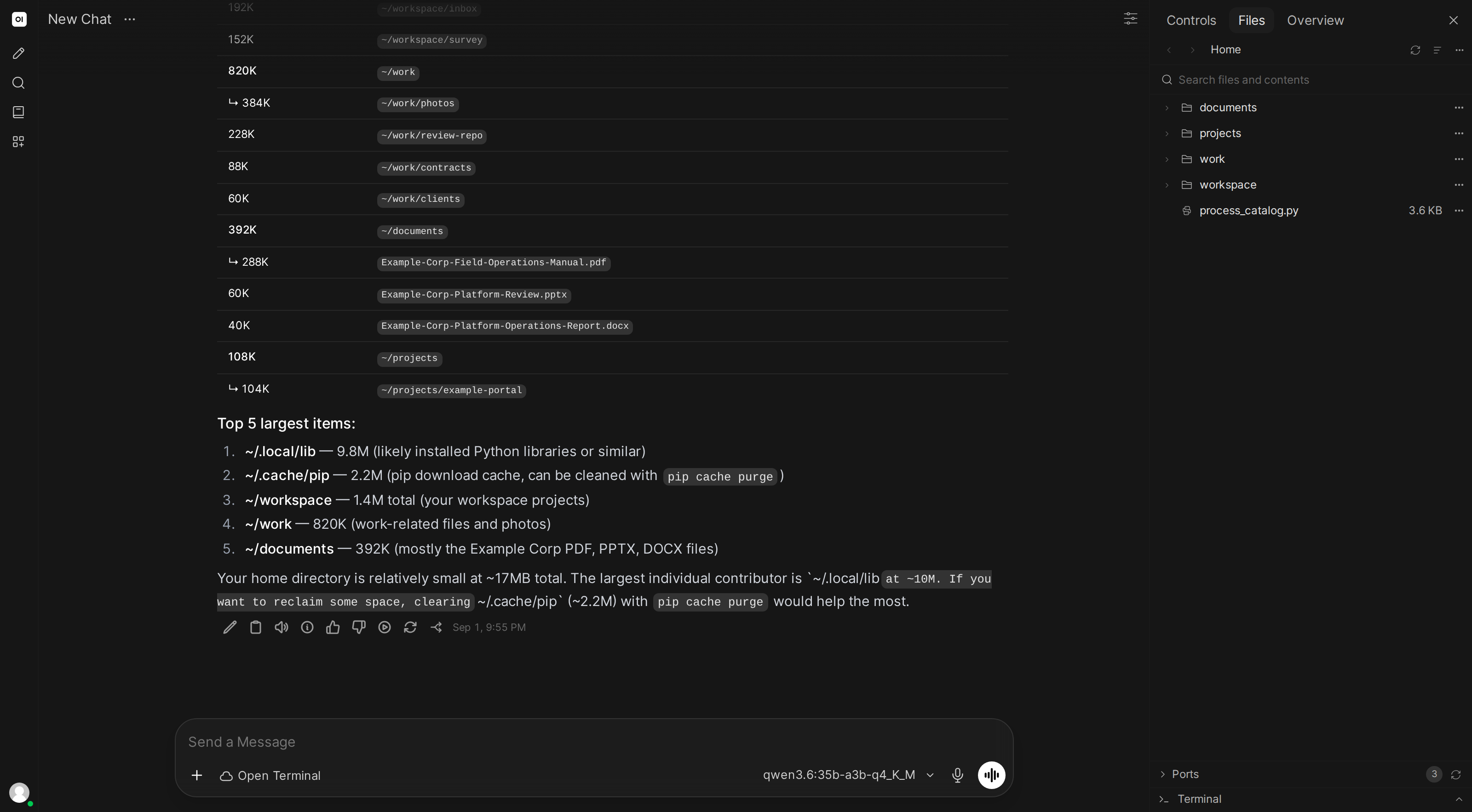
Available languages
| Language | Status |
|---|---|
| Python | Pre-installed |
| JavaScript (Node.js) | Pre-installed |
| Bash | Always available |
| Ruby | Pre-installed |
| C / C++ | Compiler pre-installed |
Additional languages (Rust, Go, Java, etc.) can be installed on the fly.
Related
- Software development →: repos, tests, debugging, refactoring
- Document & data analysis →: spreadsheets, PDFs, Word docs
- Web development →: build and preview websites
- System automation →: file management, backups, batch operations
Want a persistent environment on your real machine? Open WebUI Computer puts your computer in a browser tab, accessible from any device.