Compare Two Versions of a Document
Upload two versions of a contract or proposal and get a clear summary of what changed.
You: $Document Comparator
(upload contract_v1.docx and contract_v2.docx)
Compare these two versions. Focus on payment terms and liability changes.
What the AI does
- Reads both documents (Open Terminal handles .docx natively)
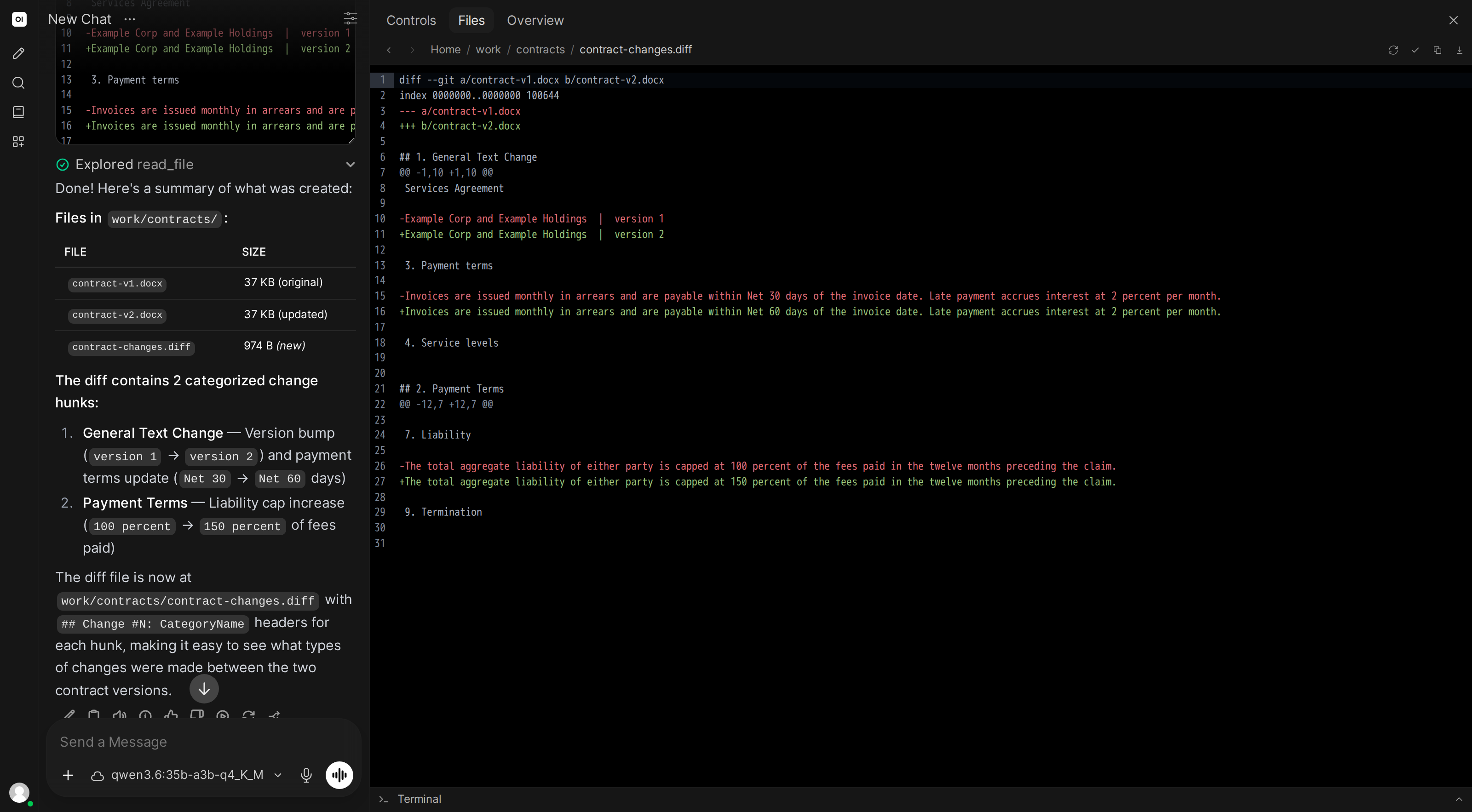
- Computes a text diff at the paragraph/sentence level
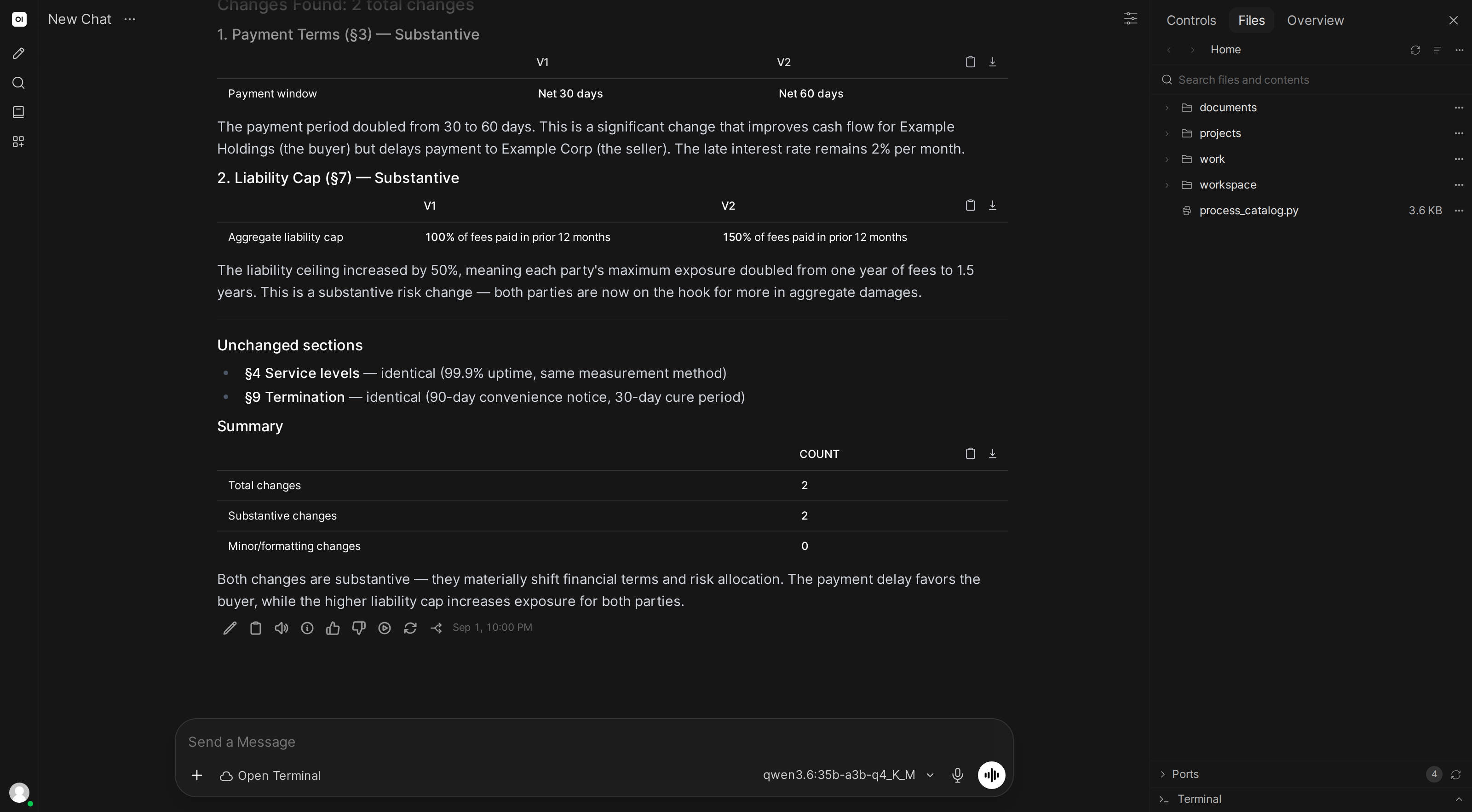
- Categorizes changes: formatting-only, minor wording, substantive changes
- Highlights the specific areas you asked about (payment terms, liability)
- Creates a comparison report with side-by-side views of key changes
Skill content
Copy this into Workspace → Skills → Create:
---
name: document-comparator
description: Compares two document versions and highlights meaningful changes
---

## Document Comparison

When asked to compare documents:

1. **Read both versions** and extract full text
2. **Compute differences** at the paragraph or sentence level using Python's difflib
3. **Categorize each change**:
   - Formatting only (spacing, capitalization)
   - Minor wording (synonyms, clarifications)
   - Substantive (numbers, dates, terms, obligations, new/removed clauses)
4. **If the user mentions areas of interest** (e.g., "payment terms"), search both documents for those sections and present a focused comparison
5. **Create a report** with:
   - Summary of changes by category
   - Substantive changes with full surrounding context
   - Side-by-side view of key sections
6. **Save** as Markdown and HTML

Always flag changes affecting financial terms, legal obligations, or deadlines.